Australian employee payroll
Payroll for the whole employee team.
Move from approved hours to employee pay runs, STP processing, super payments and payroll reporting in one connected workflow.
QT employee payroll and STP processing are currently available in Australia only. Teams elsewhere can export approved timesheets to their existing payroll provider.
Book a demoThe workflow
How it works in QT
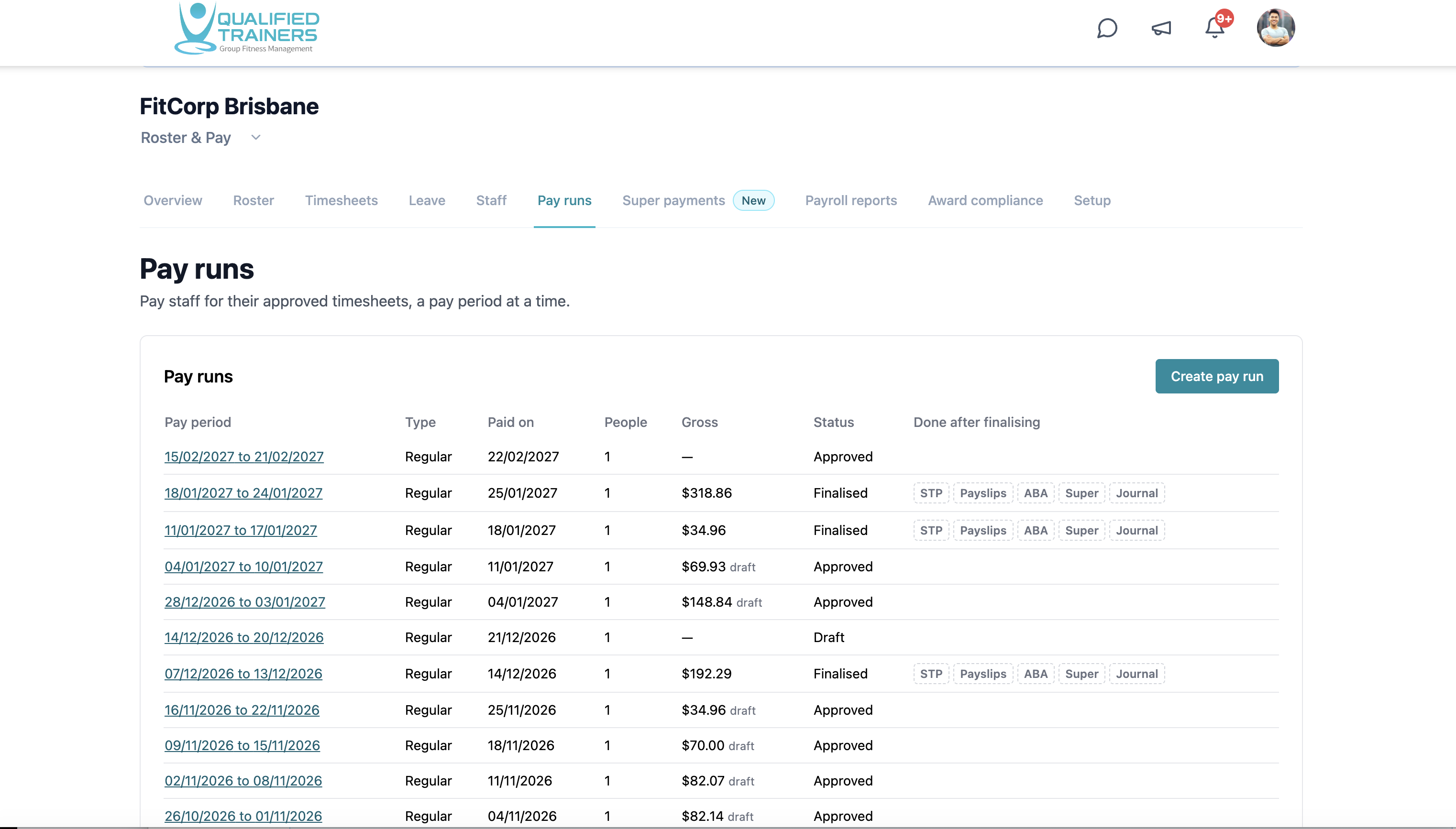
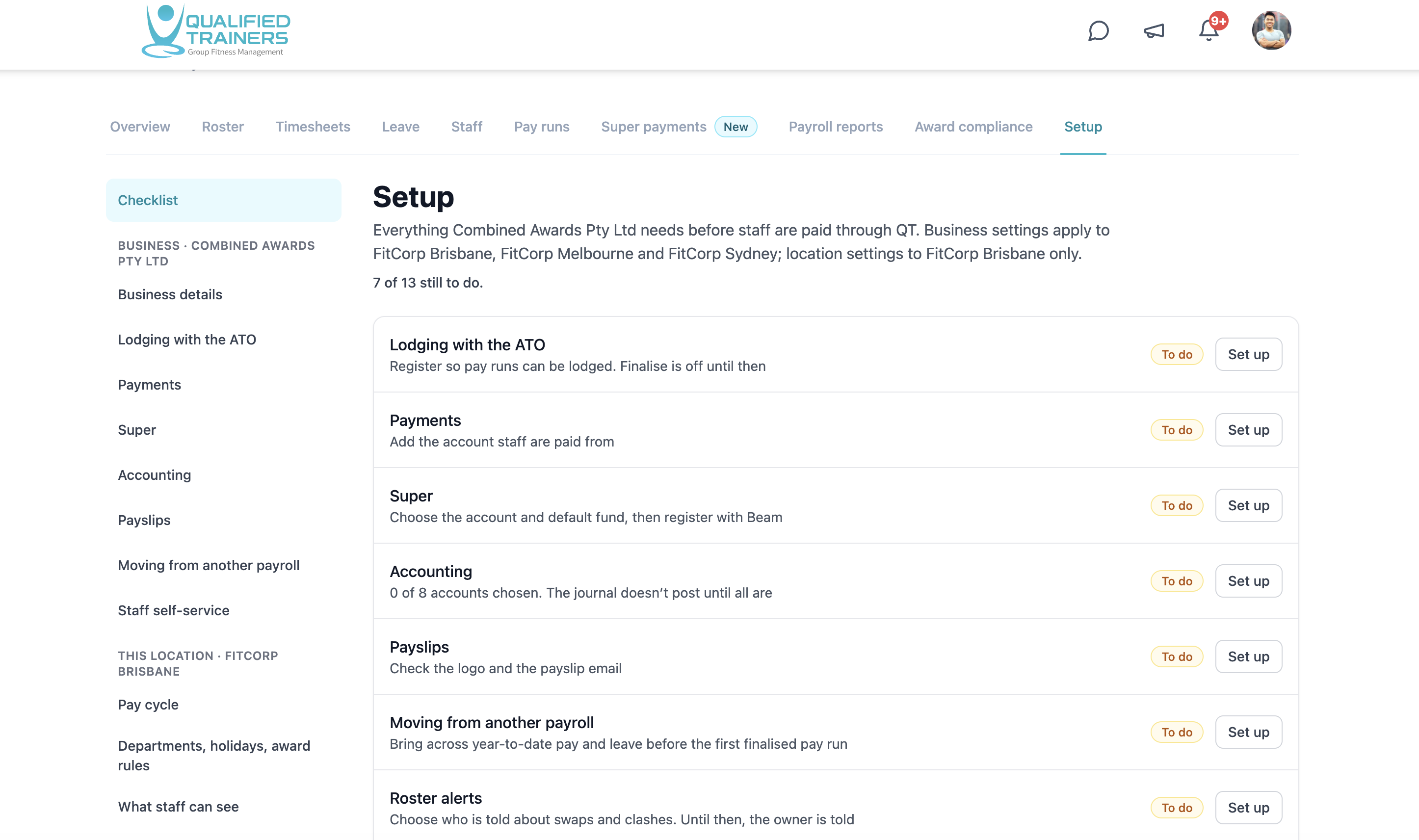
Bring approved timesheets into a pay period, review each employee’s pay and finalise the run. QT brings STP processing for employees, super payments, payslips and payroll reports into the same payroll area. The setup checklist guides business and location details, ATO registration, payment accounts, super and accounting before the first pay run.
- Pay runs for all employees and their approved hours
- Single Touch Payroll (STP) processing
- Super payment workflows and payroll reports
- Payslips, payment files and accounting setup
Features and benefits
From timesheets to reporting, in one place.
Start with approved hours
Use approved employee timesheets to prepare the pay period. Keeping worked hours connected to the schedule makes each run easier to review.
Pay the whole team
Review employee pay in a single run, with pay dates, gross amounts and draft, approved or finalised status visible to managers.
Process STP
Handle Single Touch Payroll processing for employees as part of the pay run workflow, with STP shown among the outputs for finalised runs.
Process super
Manage super settings and payments alongside payroll, so contributions and pay runs can be followed together.
Access payslips and reports
Find payslips and payroll reports after finalisation, with payment and accounting outputs available from the pay run area.
Work through setup
See which business-wide and location settings still need attention, including ATO registration, payment accounts, super, accounting and payslips.
Explore the rest of QT
See the other workflows or discuss your facility with our team.