Completed work
Review the work before it is paid.
Keep worked time, contractor invoices and approvals linked to the schedule that produced them.
Book a demoThe workflow
How it works in QT
Start with the hours employees were scheduled for, compare them with recorded work and review exceptions before approving the timesheet. For contractor class work, managers can inspect submitted invoices and approve or reject them through their own review flow.
- Scheduled versus worked hours
- Timesheet approval and exception review
- Contractor invoice approval
Features and benefits
Check the work before payment.
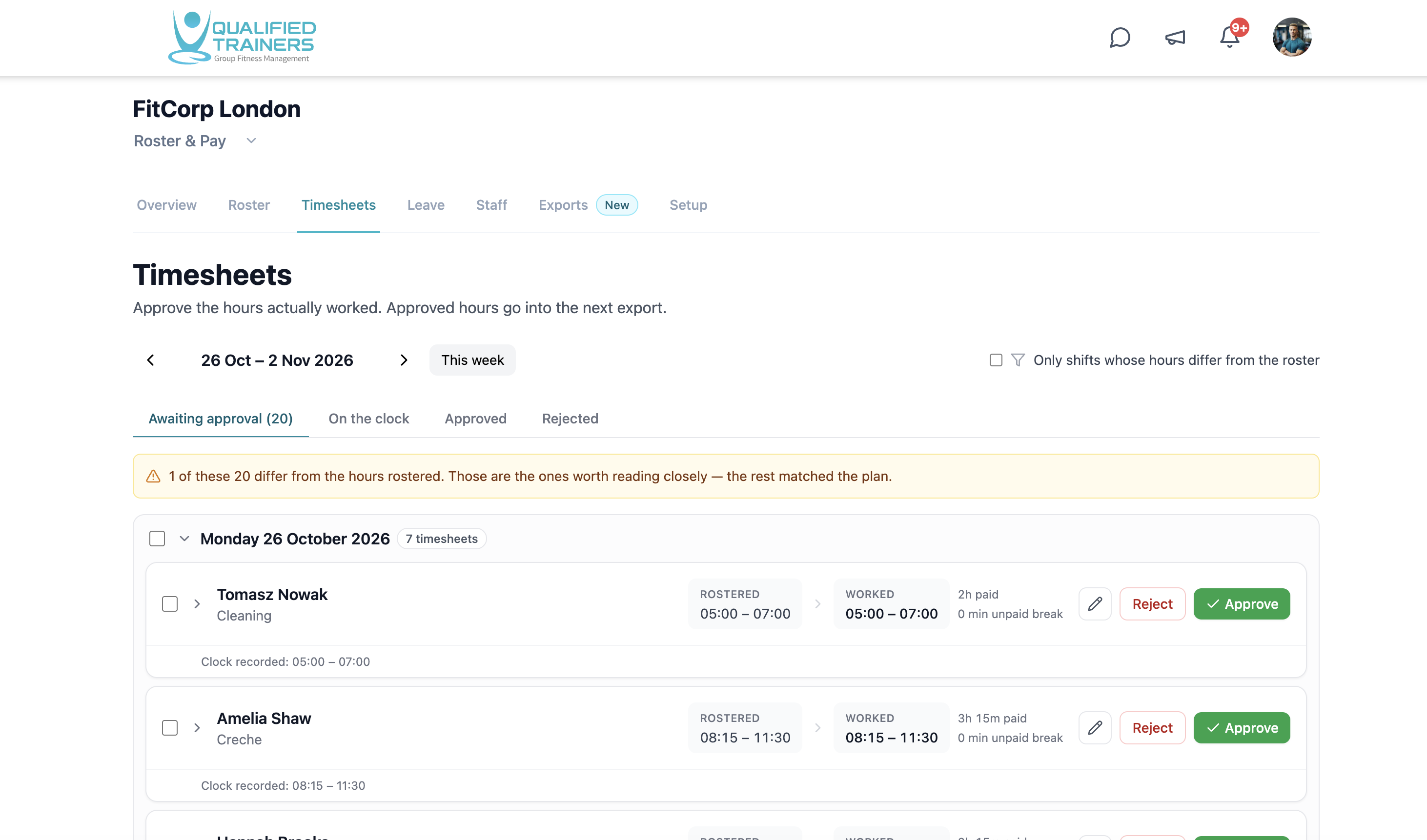
Compare planned and actual hours
See scheduled and worked times together, so differences are easier to identify before they reach a pay run.
Focus on exceptions
Filter for shifts whose hours differ from the schedule and review the recorded clock times instead of searching every entry.
Approve employee time
Review, edit, approve or reject timesheets in a queue, with approved hours ready for the next payroll step.
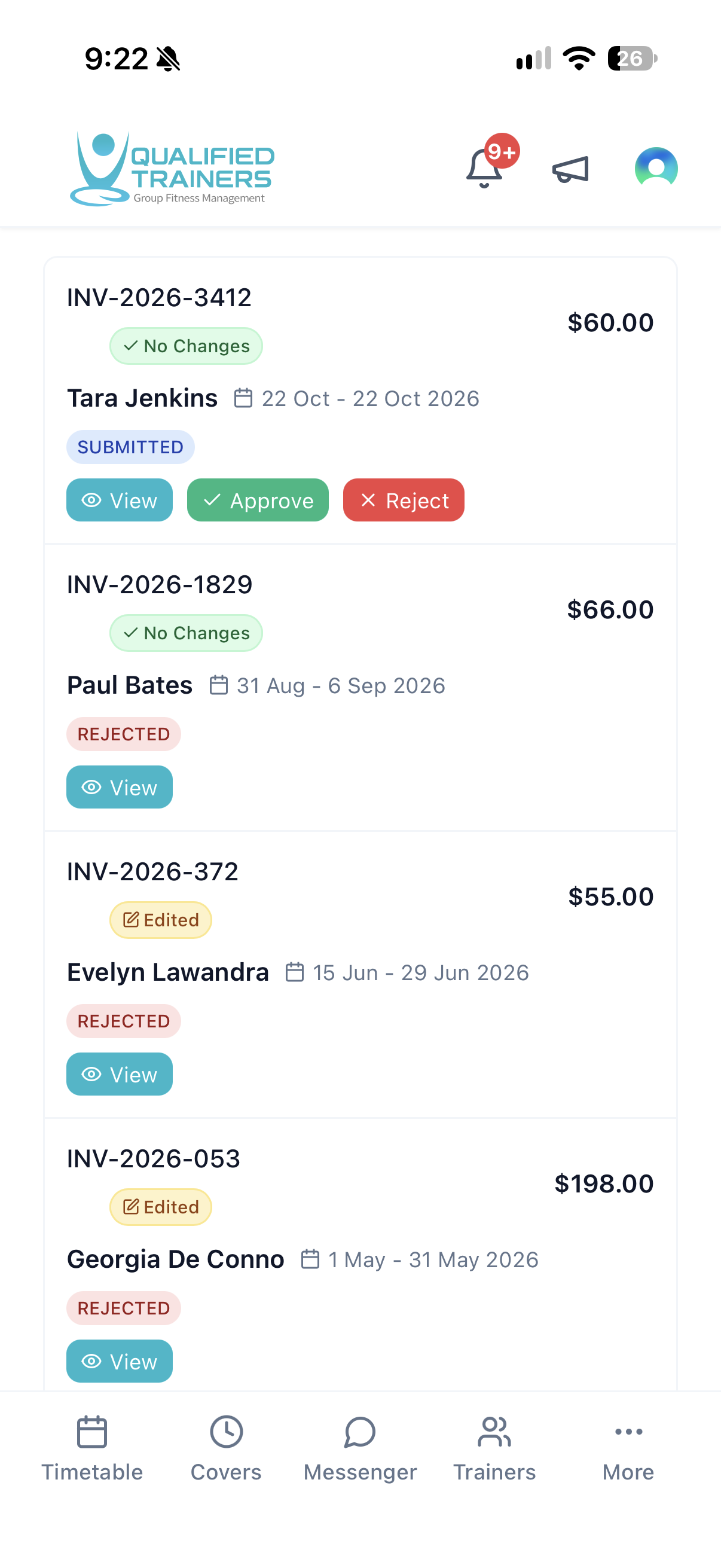
Review contractor invoices
Inspect submitted invoices for class-based work and approve or reject each document in a separate contractor workflow.
Review contractor work on mobile.
On the go
Review work from wherever your day takes you.
A mobile view keeps the contractor approval queue close when managers are away from a desk.
Explore the rest of QT
See the other workflows or discuss your facility with our team.