Staff scheduling
Schedule the whole facility.
Plan shifts for reception, gym-floor staff, PTs and managers alongside the instructor timetable.
Book a demoThe workflow
How it works in QT
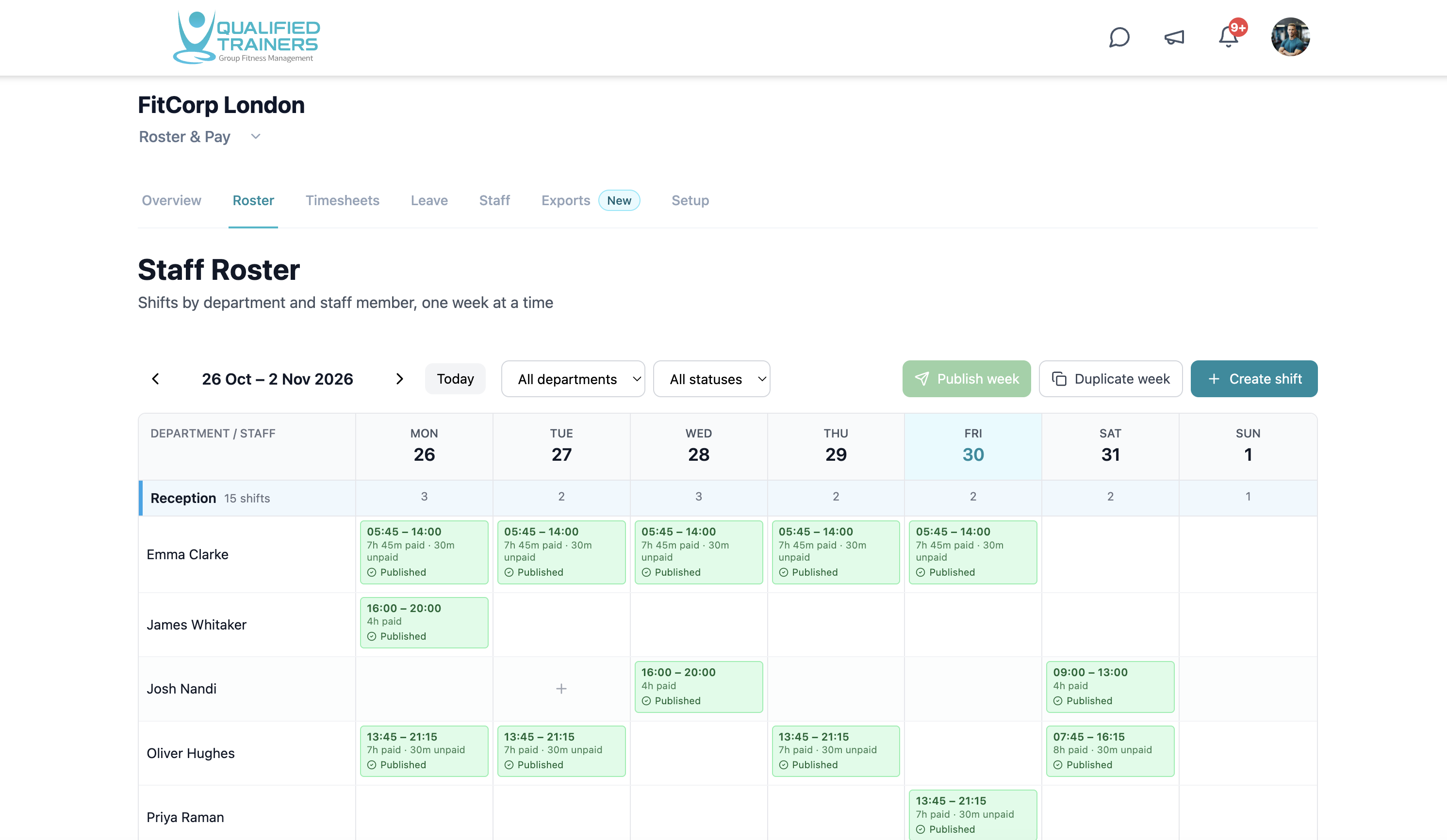
Employee shifts have their own schedule, so work outside taught classes is visible too. Organise shifts by department, publish the week and keep staff records connected to worked-time review.
- Weekly shifts by department and person
- Published shifts and schedule changes
- Staff roles, employment status and leave
Features and benefits
Plan the week around the whole team.
Build shifts by department
See reception, crèche and other teams together in a weekly grid. Filter the schedule to focus on the people and shifts you need to plan.
Publish a clear plan
Create shifts, duplicate a previous week and publish when the schedule is ready, so staff work from a shared schedule.
Keep staff details close
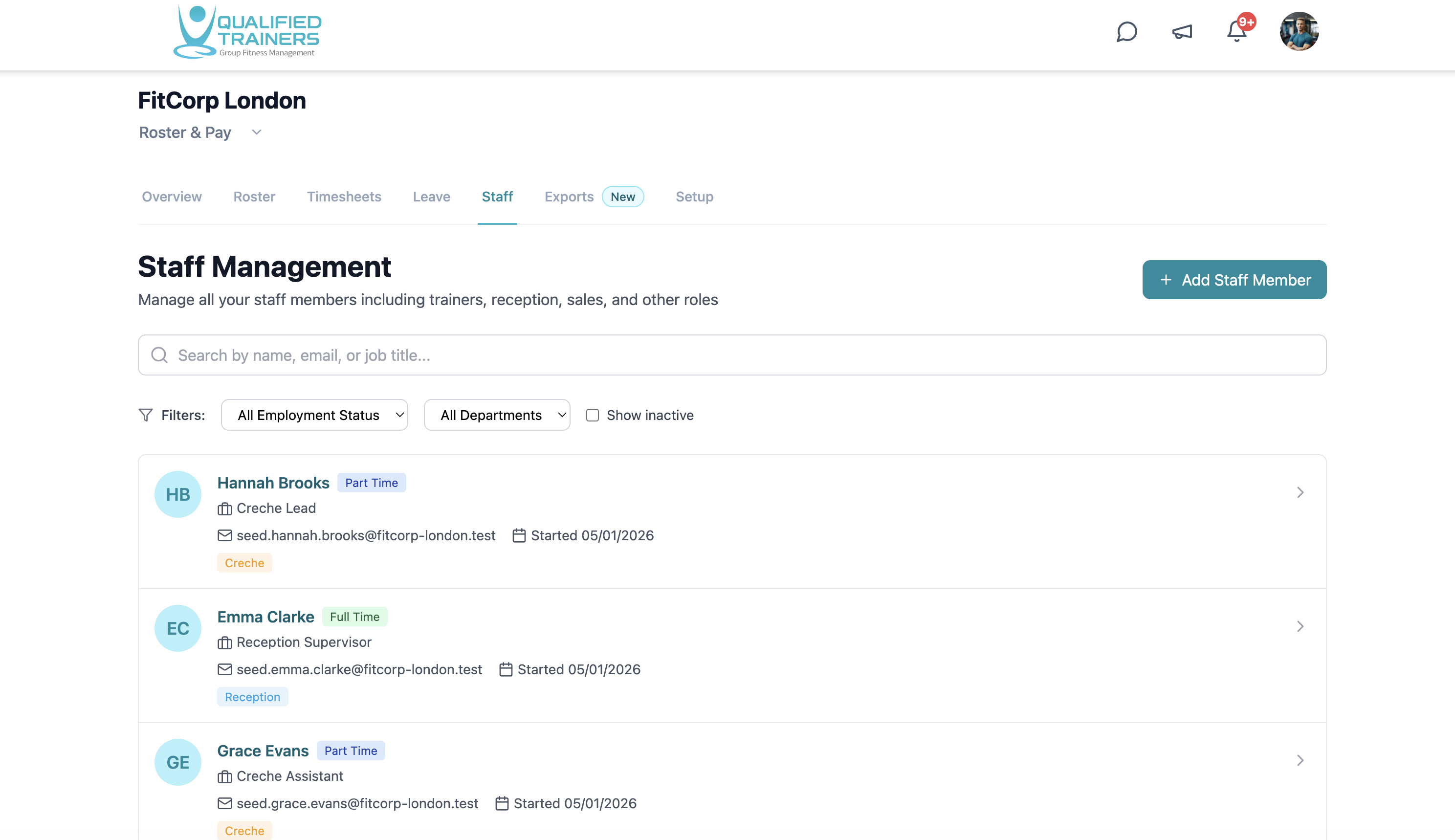
Find people by name, role or department and see their employment status alongside the shifts you are planning.
Work around leave
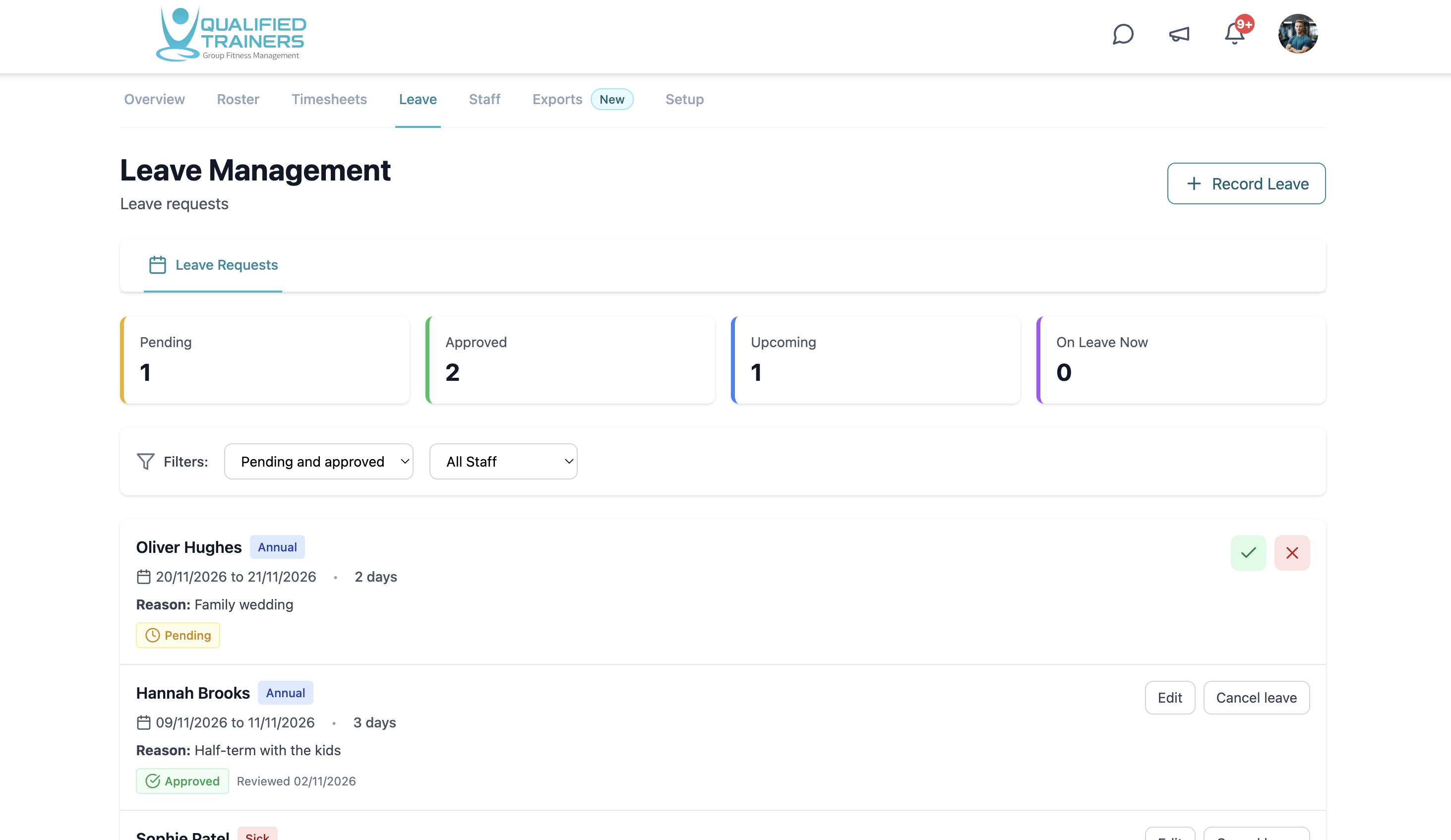
Review pending and approved leave requests in the same staffing area, making absences visible as you organise coverage.
Explore the rest of QT
See the other workflows or discuss your facility with our team.