Timetables and cover
Keep every class covered.
Manage your studios and live instructor timetable, then fill gaps with open or direct cover requests.
Book a demoThe workflow
How it works in QT
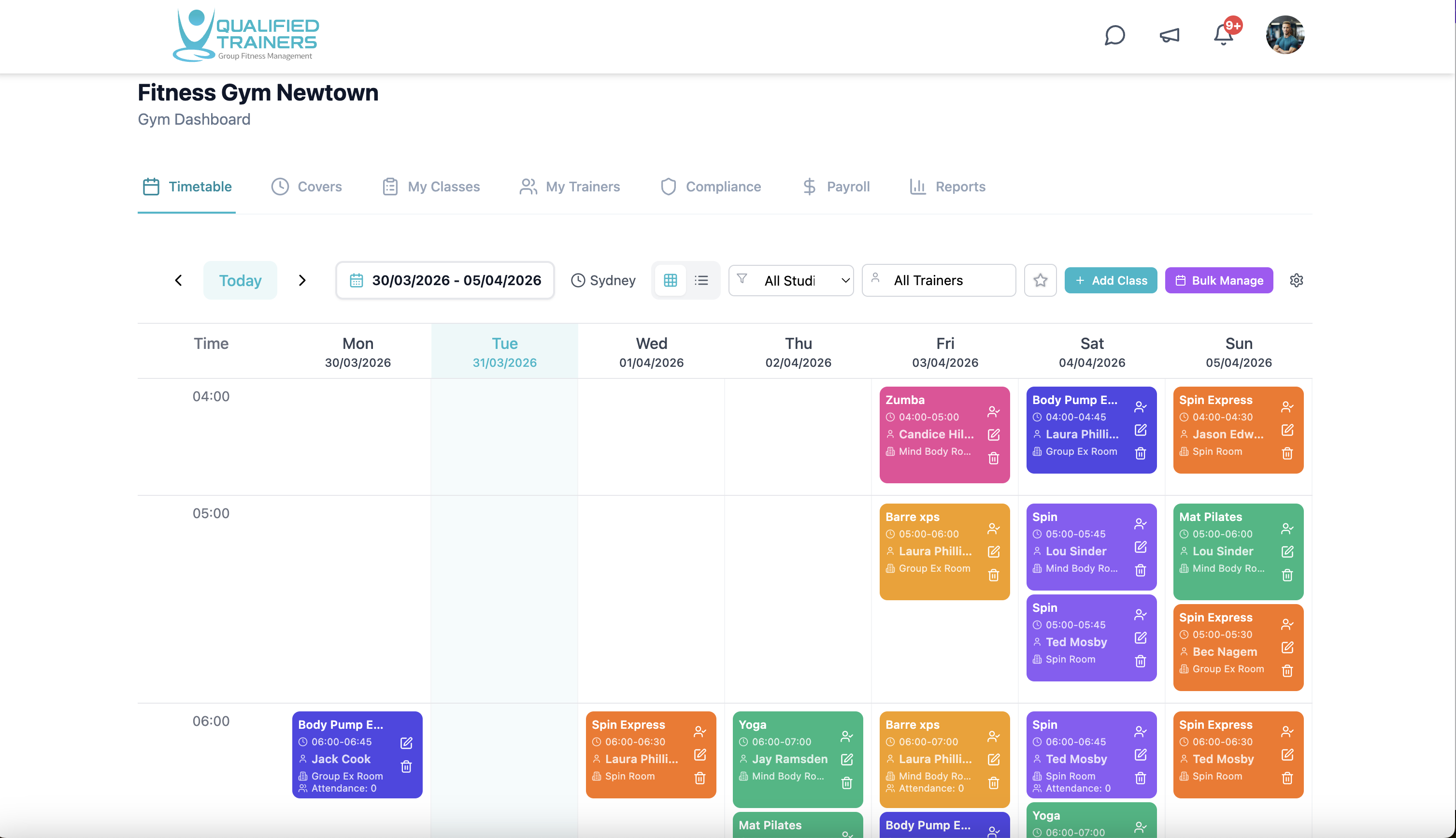
See the weekly class programme in one place, including the session, studio, time and assigned instructor. Filter by studio or instructor to understand who is teaching where. When plans change, raise a cover request from the class itself, follow responses and keep the timetable up to date.
- Live instructor timetable across your studios
- Recurring classes, rooms and instructor assignments
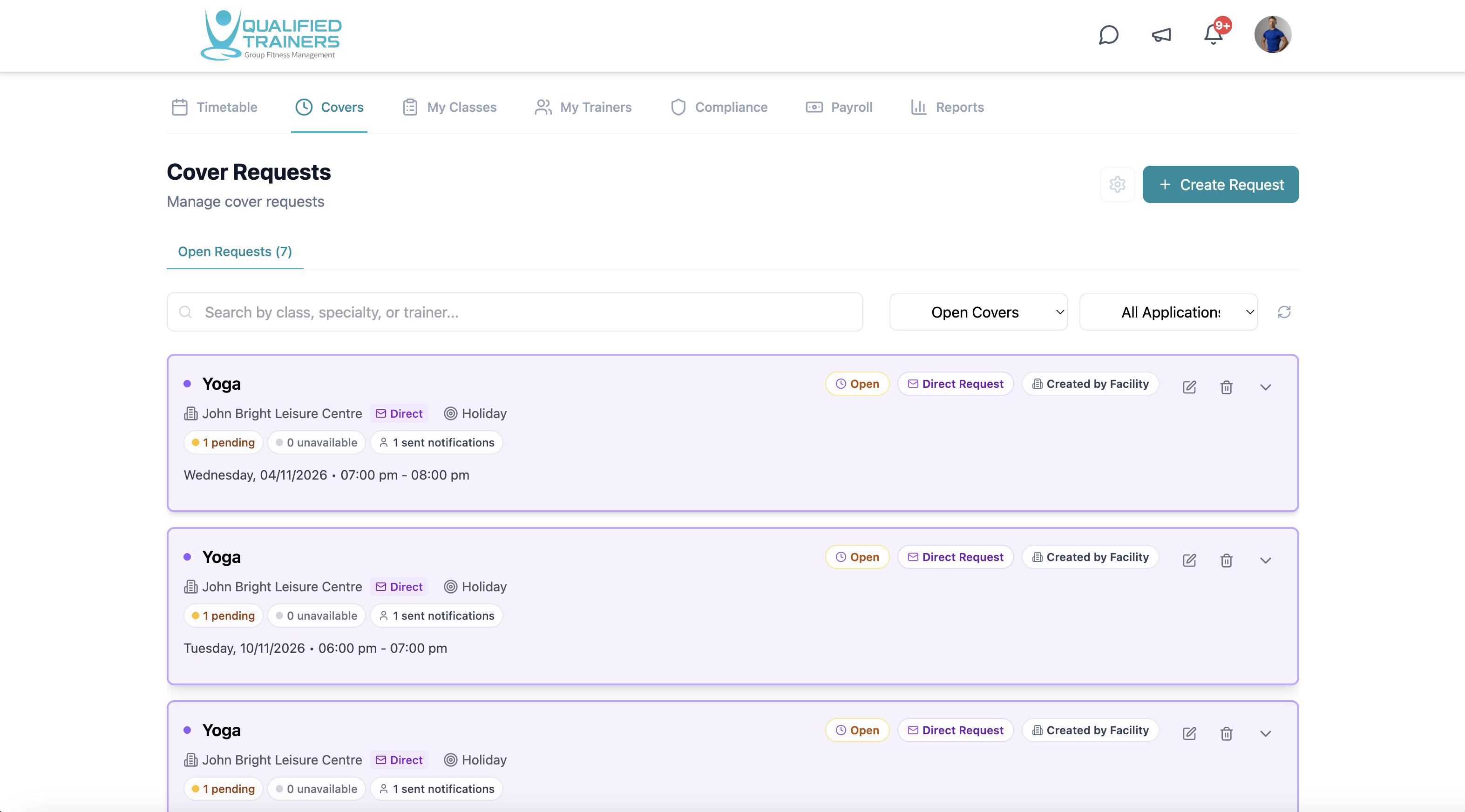
- Open and direct cover requests
- Cover applications, status and notifications
Features and benefits
One clear process when plans change.
See the live instructor schedule
View the current class timetable by week. Check who is assigned to each session and filter the view by studio or instructor.
Manage multiple studios
For facilities with several studios, keep each room and class programme organised in one facility view while still seeing the detail for an individual studio.
Send open or direct covers
Open a cover request to eligible instructors, or send it directly to a specific instructor. Review applications and response status from the cover view.
Keep people informed
QT notifies relevant instructors about cover requests and keeps applicants informed when a cover is cancelled or reassigned. Managers can see who was notified and track the outcome.
Explore the rest of QT
See the other workflows or discuss your facility with our team.